(This feature is currently only available on the beta version of the site: https://beta.mylittlewordland.com)
A while back, @taubercat and @InunekoKyo suggested that it'd be nice to have a way to see how far along one is in a learn/review session.
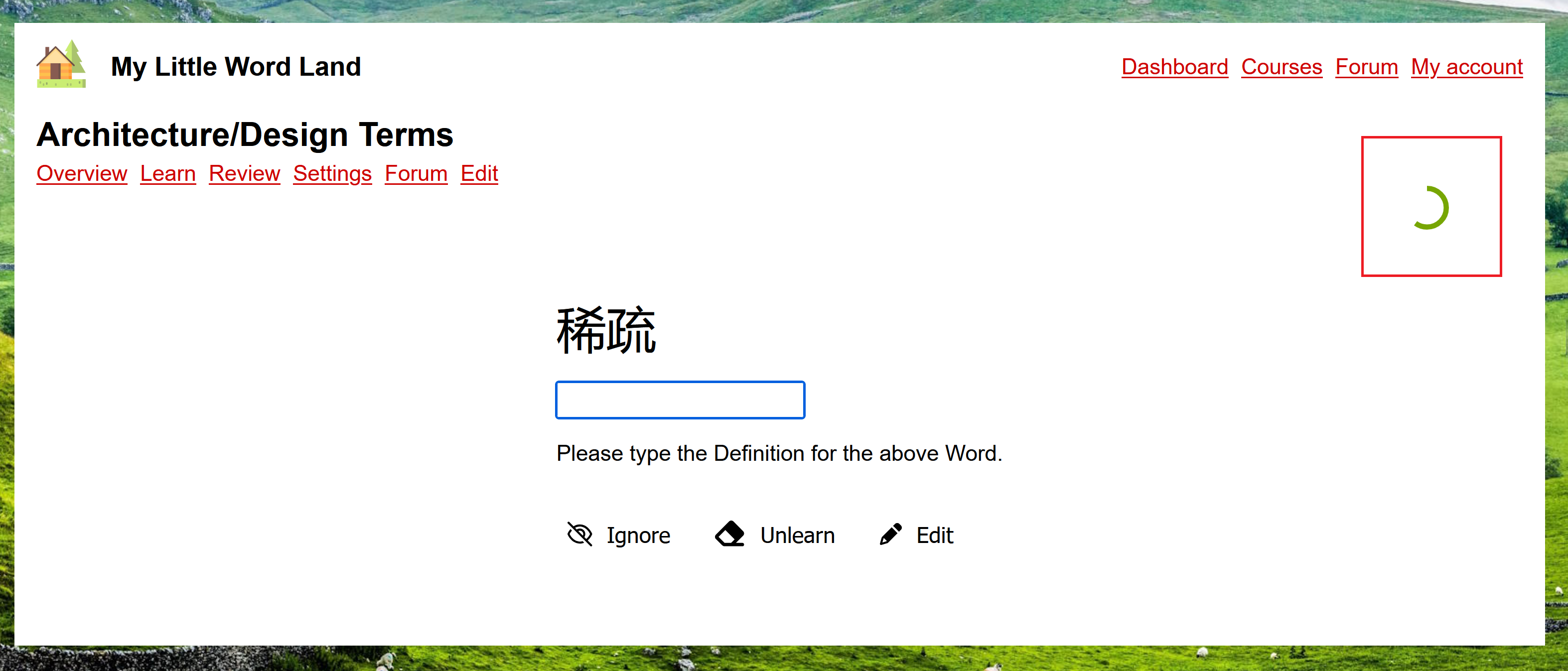
I've finally added an option for this 🙂 When enabled, progress for the current learn/review test shows up as a small green circle at the top right of the screen:
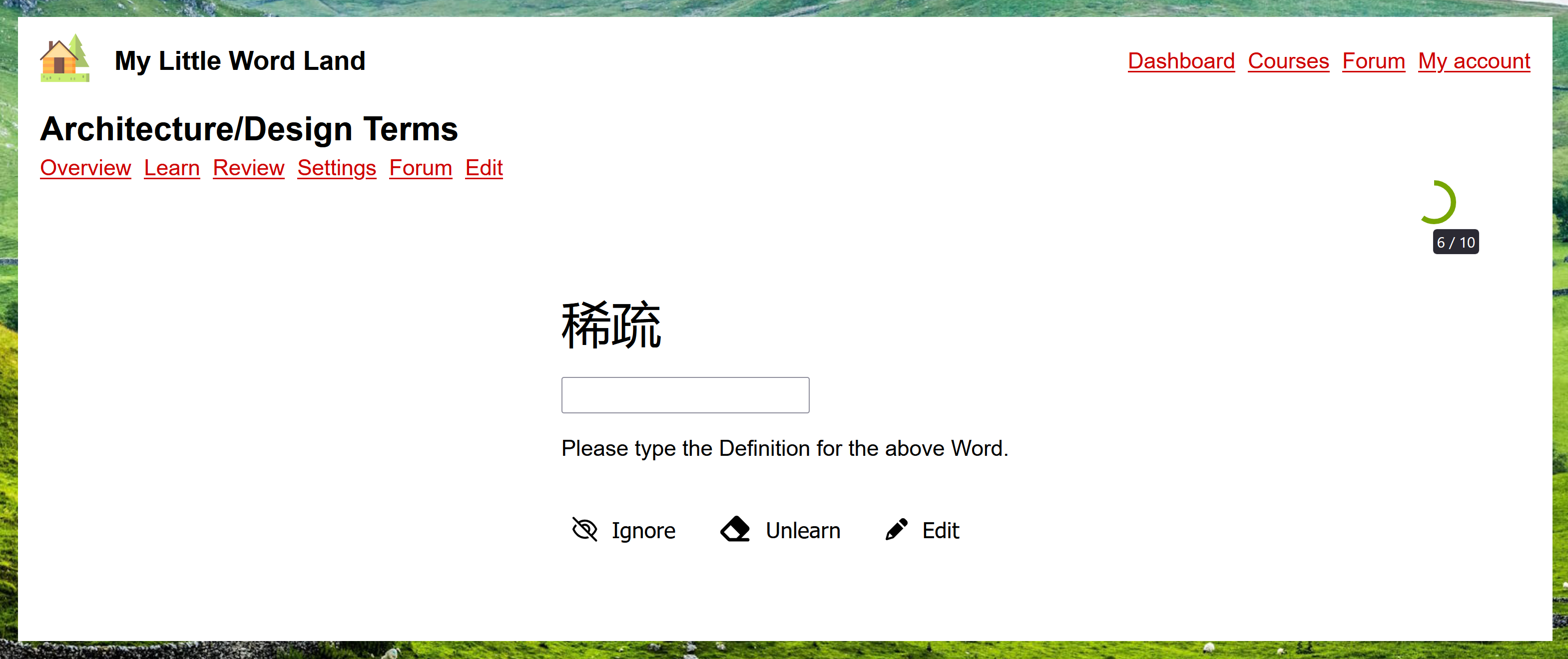
Hovering over the circle shows more details, in the form of words studied / total words. For example, here I've reviewed 6 out of 10 words:
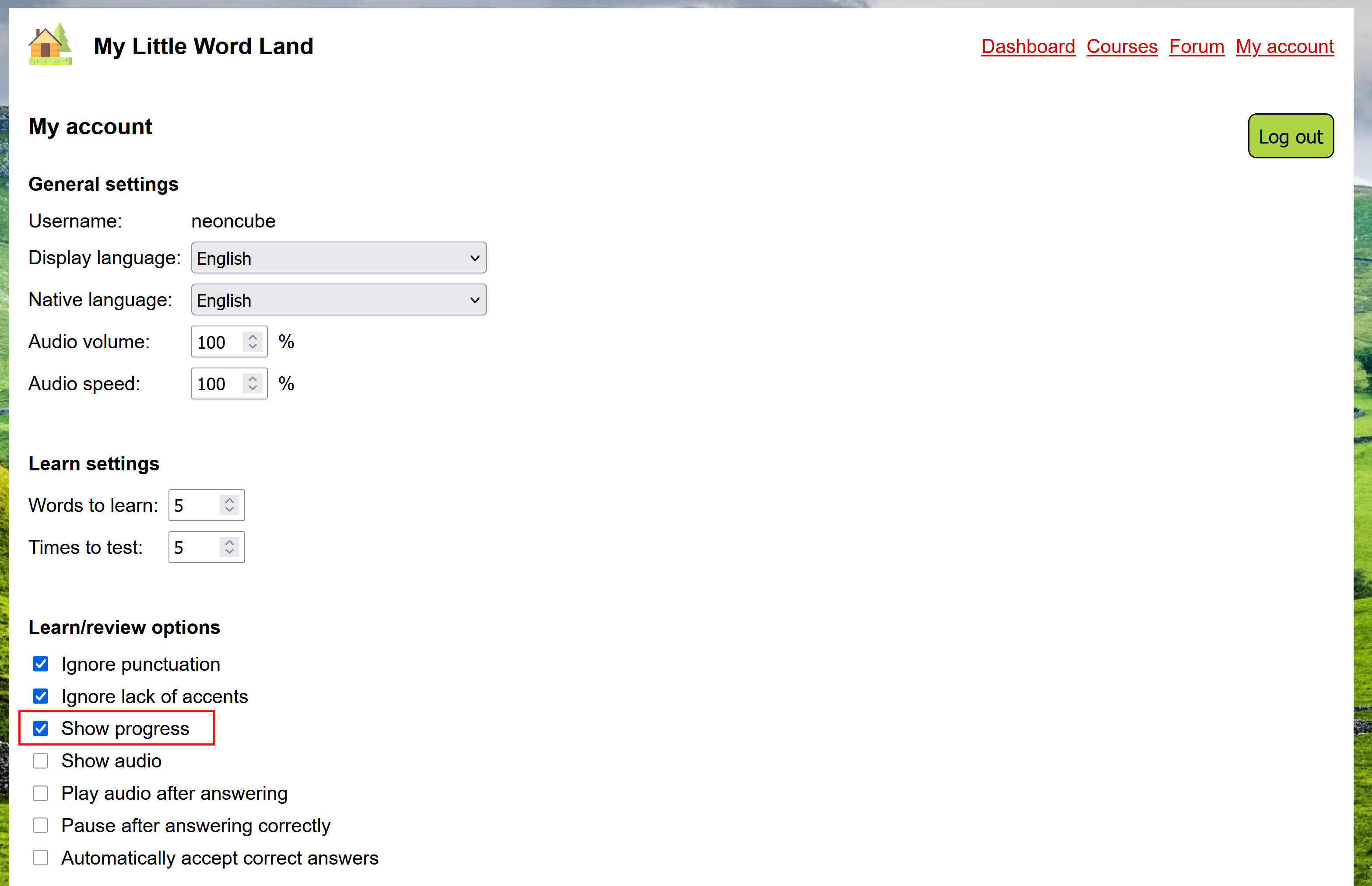
To have the progress bar be shown, go to "My account", enable the "Show progress" option, and save:
When learning new words, the progress bar shows how far along in the test you are, rather than how many of the words you've learned so far. For example, if you're learning 3 new words and are to be tested 5 times on each, then the test has 15 prompts, and if you've already answered 3 of the prompts, then the progress bar will be shown as 3/15ths (1/5th) complete.
A different way to do this would be to show how many of the words in the test have been completely learned, so in the above example, the progress bar would always progress 1/5th at a time, every time a new word was completely learned (i.e. each time a word had been answered 5 times). I'm not sure if this would be better or not, but I'd be happy to add this as an option, if people are interested 🙂
If you try it out, let me know what you think! :D


